
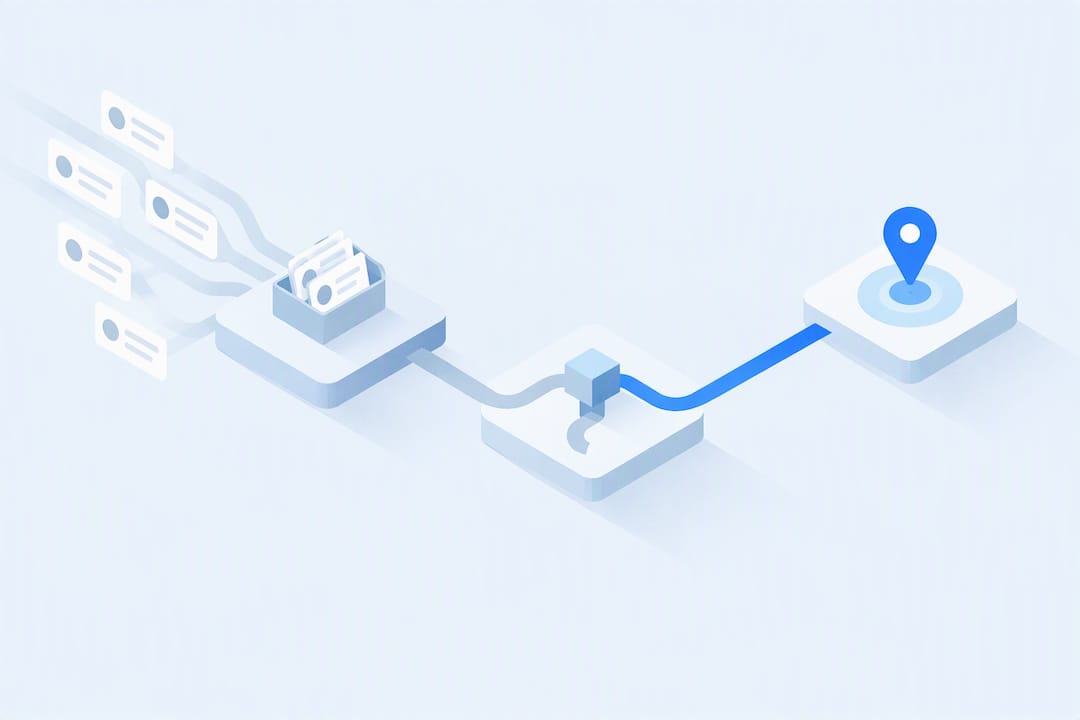
Speed to lead measures the time between when a prospect submits an inquiry and when a real person makes the first contact attempt. The faster that window closes, the higher your odds of reaching and qualifying the lead, since interest decays fast and competitors are often working the same inquiry. Aim to get under one hour quickly, then push toward five minutes once your routing and automation are solid.
TL;DR:
- Most slow response times are caused by issues upstream of the rep, such as poor routing, enrichment delays, or missed notifications, not the rep's willingness to act.
- Accurate measurement of speed to lead requires tracking the timestamps of lead creation, first human contact, and response times, excluding automated acknowledgment emails.
- Contacting leads within one hour significantly increases qualification odds, but average response times remain above 29 hours in many industries, emphasizing the need for process improvements.
- Implementing staged targets, starting with contacting all leads within one hour and progressing toward five minutes, yields better long-term results than focusing on a single goal.
- Automating data matching, enrichment, routing, and notifications with platforms like Cold Leads helps reduce processing delays, allowing reps to respond faster and more consistently.
Table of Contents
- What is speed to lead and how do you measure it correctly
- Why speed to lead matters: the research behind the payoff curve
- Setting realistic speed to lead benchmarks for your team
- How to instrument speed to lead with the right metrics
- A prioritized playbook for cutting lead response time
- Choosing the right channel: calls, texts, email, and chat
- Where lead response processes actually break down
- How automation and mailbox strategy shrink processing lag
- What actually moves the needle on speed to lead
- Turn faster response into fewer missed leads
- Sources
- FAQ
What is speed to lead and how do you measure it correctly
Speed to lead sounds simple until you try to measure it honestly. The metric only means something when you define the two timestamps that bound it: the moment the lead record is created in your system and the moment a human being makes the first outbound attempt, whether that is a phone call, a personalized text, or a live chat reply. Everything between those two points counts against you.
A common measurement error is letting an automated acknowledgment email or a task assignment stand in for "first contact." Neither one is a human interaction, and neither correlates with the conversion lift that real research ties to fast response. An auto-reply confirms receipt; it does not qualify anyone. Several industry sources stress that automated acknowledgments distort measurement and should be excluded from the clock entirely.
To instrument this correctly in a CRM, you need a small set of reliable fields and workflows:
- Lead created timestamp: captured automatically the instant the record enters the system, whether from a form, an import, or an API call.
- First human contact timestamp: logged only when a rep places a call, sends a personal text, or replies in a live chat, never on autoresponder send.
- Response time field: a calculated property (first human contact minus lead created) that reports in minutes, not just hours, so short windows are visible.
- Source and time-of-day tags: so you can segment response time by channel and by when leads arrive, since after-hours leads behave differently.
- SLA breach flag: a boolean or status field that trips when a lead crosses your target threshold unanswered.
Most CRMs support this with workflow automation and calculated fields, but the discipline matters more than the tool. If your reporting mixes automated touches with human ones, your dashboard will look better than your actual conversion outcomes justify.
Why speed to lead matters: the research behind the payoff curve
The case for speed rests on two studies that get cited constantly, often loosely. The original 5-minute multiplier comes from an InsideSales and MIT study from 2007, which found that contact and qualification odds fall sharply between the 5-minute mark and the 30-minute mark, with figures as large as 100x for contact odds and 21x for qualification odds in that dataset. Those numbers are often quoted as universal truths. Treat them as directional evidence of a steep decay curve, not as a guarantee that any team will see exactly that multiplier.

The second anchor is the Harvard Business Review audit from 2011, which studied real web leads and found that contacting a prospect within an hour was associated with roughly seven times higher qualification odds compared with waiting until after that hour had passed. The same audit found that only 37% of companies responded within an hour, and among those that did respond at all, the average response time was 42 hours.
More recent data suggests the problem has not gone away. A 2026 benchmark review found average response times still sitting above 29 hours in aggregate, with a large share of companies never responding to inquiries at all in some audits.
- The 2007 and 2011 studies are the source of most "speed to lead" multipliers still quoted today.
- Recent benchmarks show the underlying problem persists well into 2026, not just in older datasets.
- Multipliers vary by industry, lead source, and study methodology, so use them to justify urgency, not to promise a specific lift.
One in three companies in the HBR audit responded within an hour, and contacting within that hour was tied to roughly seven times higher qualification odds. That gap is the entire business case for fixing your response process before anything else.
Setting realistic speed to lead benchmarks for your team
Averages lie. If nine leads get a callback in three minutes and one waits twelve hours, the average looks mediocre while the real story is a single broken workflow. Report the median response time and the share of leads answered within specific bands, such as under 5 minutes, under 30 minutes, and under 60 minutes. Banding rather than averaging shows you whether slow outliers are dragging down an otherwise healthy process, or whether the whole system is slow.
A staged target sequence works better than a single moonshot goal:
- Stage one: get every lead contacted within one hour, no exceptions, using fallback routing when the primary owner is unavailable.
- Stage two: push the median under 30 minutes by fixing enrichment and matching delays that stall routing.
- Stage three: chase the 5-minute standard only after routing and notifications are already reliable, since a fast alert sent to the wrong person wastes the speed.
Teams that skip straight to a 5-minute goal often burn effort on rep urgency while the real delay sits upstream in data matching or a misconfigured routing rule. The biggest ROI usually comes from stage one and stage two: closing the gap between "leads that get answered in hours" and "leads that get answered within the first hour" moves more deals than shaving the last few minutes off an already-fast process.
How to instrument speed to lead with the right metrics
Getting an accurate read on speed to lead requires splitting the clock into two distinct segments, because they have different owners and different fixes.
- Lead Processing Time is the interval between lead creation and the moment a rep is notified and assigned ownership. This covers matching, enrichment, deduplication, and routing logic, and it is almost entirely a systems and operations problem.
- Representative Response Time is the interval between assignment notification and the first human contact attempt. This is the segment that reflects individual rep behavior, availability, and follow-through.
Analysis from LeanData shows that most response-time problems live upstream of the rep, in enrichment, matching, and assignment gaps, before a rep ever sees the lead. Blaming reps for a slow enrichment API call fixes nothing.
Build your dashboard around a small number of report types rather than a single summary chart:
| Report element | What it shows | Why it matters |
|---|---|---|
| Median response time | Typical experience for a lead, unaffected by outliers | Better than average for judging normal performance |
| Share within band (5, 30, 60 min) | Percentage of leads answered inside each threshold | Reveals whether most leads are fast or a few are very slow |
| SLA breach count | Number of leads that missed the target threshold | Flags process failures in near real time |
| Processing vs. response split | Time lost to systems versus time lost to reps | Tells you which team owns the fix |
| Segment by source and hour | Response time broken out by channel and time of day | Surfaces gaps like after-hours or weekend lead handling |
Set alert thresholds that distinguish a routing failure from a rep failure. If processing time spikes across many leads at once, that points to an enrichment API or matching rule breaking. If processing time stays flat but rep response time climbs for one person or one shift, that is a staffing or workflow issue, not a systems one.
A prioritized playbook for cutting lead response time
Fixing speed to lead is an engineering and operations problem before it is a coaching problem, as detailed in the Clinic playbook: evidence backed routines to lift referral conversion. The order you tackle these steps in determines how much time and money you waste.
- Fix matching first. Before a lead can route anywhere, your system needs to correctly match it to an existing account or contact record. Broken matching logic creates duplicate records and routing black holes.
- Automate enrichment before routing depends on it. LeanData's guidance recommends completing lead-to-account matching and enrichment inside the CRM before triggering routing, so a slow third-party API call does not stall the whole pipeline.
- Build routing around intent tiers, not just territory. A lead requesting a demo should route differently and faster than one downloading a guide. Layer in time-of-day fallback so after-hours leads do not sit until the next business day.
- Set SLA-based queues with automatic reassignment. If a rep does not act within a defined window, the lead should reroute to a backup, not wait indefinitely in one inbox.
- Push notifications to mobile, not just email. A rep who only checks email twice a day will miss the window regardless of how fast routing works. Ring groups and mobile alerts close that last gap.
- Build an escalation policy for missed SLAs. A manager alert after a defined breach threshold keeps the queue from becoming invisible when someone is out sick or overloaded.
- Test before and after, by band. Measure the conversion rate for leads contacted within 5 minutes, 30 minutes, and over an hour, before and after each change, so you know which fix actually moved the numbers.
Data hygiene deserves its own mention here. Bad phone formatting, missing email domains, or incomplete address data cause enrichment tools to fail silently, which creates a backlog that looks like a rep problem but is actually a data problem. Cleaning intake forms and validating fields at the point of capture prevents a chunk of this before it starts.
Pro Tip: Run your first response-time audit using processing time and rep response time as two separate columns; fixing the wrong half of the clock is the most common reason speed-to-lead projects stall.
The testing step matters more than teams expect. It is tempting to roll out a new routing rule and assume it worked because the average dropped. Compare conversion rate by response band before and after, not just the average response time, because a faster average can still hide a slow tail that is losing you the highest-intent leads.
Choosing the right channel: calls, texts, email, and chat
Different channels serve different moments in the speed to lead window, and using the wrong one at the wrong time wastes the speed you just built.
- Call-first for high-intent leads. A phone call remains the fastest way to qualify a lead in real time, and a dialer or ring group can attempt multiple reps simultaneously so the first available person connects.
- SMS as immediate fallback. When a call goes unanswered, a text sent within minutes keeps the conversation open, provided you have proper consent and follow applicable A2P messaging registration rules for your market.
- Personalized email over autoresponders. A templated auto-reply confirms receipt but does not move the deal forward. A short, personal email sent from an individual's own mailbox reads as human rather than automated, which matters for both trust and deliverability, since sending from personal mailboxes avoids the reputation risk that comes with mass sends from a shared domain.
- Live chat and chat-to-call for real-time capture. A chat widget that offers an immediate callback option turns a passive form fill into a live conversation before the prospect even leaves the page.
The right mix depends on the lead source. A demo request usually justifies a call attempt within minutes, while a downloaded guide might warrant an email first and a call as a secondary touch. What stays constant across channels is the principle: the first genuine human touch, whatever form it takes, is the one that counts toward your speed to lead number.
Where lead response processes actually break down
Most slow response times trace back to a small set of recurring failure points, and diagnosing them correctly saves months of misdirected effort.
- Routing misconfiguration. Rules built for last year's territory structure or product lineup often silently misroute leads to inactive queues or the wrong team.
- Missing fallback logic. A single point of failure, like one rep who is the sole owner of a queue, guarantees delays whenever that person is unavailable.
- Ownership ambiguity. When two teams both think a lead belongs to the other, it sits untouched until someone notices, often long after the window has closed.
- Enrichment and third-party API lag. Slow lookups for firmographic or contact data can stall the entire pipeline if routing depends on that data being present first.
- Unreliable notifications. Email-only alerts that land in a crowded inbox get missed; offline queues with no escalation let leads pile up unnoticed.
A quick response-time audit checklist helps surface which of these applies to your team:
- Pull the last 100 leads and timestamp lead creation, assignment, and first human contact for each one.
- Separate processing time from rep response time to see which segment dominates the delay.
- Check for any leads that sat in a queue with no owner for more than an hour.
- Review notification logs to confirm alerts actually fired when they should have.
- Segment results by time of day to catch after-hours or weekend gaps.
Pro Tip: Before changing anything else, fix your fallback and escalation rules first: they are usually a one-time configuration change that prevents the worst delays without touching your team's workload.
How automation and mailbox strategy shrink processing lag
The operational fixes above (matching, enrichment, routing, and notifications) are exactly the layer that dedicated lead management software is built to handle. Cold Leads is a lead management platform built to automate the client capture process for small businesses, turning website inquiries into organized client records while using AI to draft and manage email campaigns.
- Cold Leads captures website inquiries directly into an organized record, which removes the manual step of monitoring a shared inbox for new form fills.
- It uses AI to draft and manage email campaigns so a personalized follow-up can go out without a rep writing copy from scratch for every new lead.
- It automatically captures replies and maintains a continuous communication pipeline, which helps reduce ownership gaps that stall a lead between first contact and follow-up.
- It sends emails from personal mailboxes rather than a shared domain, supporting trust and deliverability as covered in the channels section above.
None of this replaces the diagnostic work of separating processing time from rep response time. It automates the processing side, the matching and first-touch drafting, so the human response that follows has less friction sitting in front of it.
What actually moves the needle on speed to lead
Most teams treat speed to lead as a motivation problem: tell reps to call faster, post a leaderboard, run a sprint. That misreads where the time actually goes. In the majority of cases, the delay is sitting in enrichment, matching, or a routing rule nobody has touched since the org chart changed, not in a rep's willingness to pick up the phone.

Fix the plumbing before you fix the people. Get routing and enrichment reliable enough that every lead reaches a real owner within minutes of arriving, then work on rep response time as its own separate problem with its own separate metric.
Incremental targets beat one-off sprints because they hold. A team that moves from six hours to one hour and sustains it will out-convert a team that hits five minutes for a week during a contest and drifts back afterward. Build the measurement first, then let the target follow the data instead of the other way around.
— Anton
Turn faster response into fewer missed leads
Everything in this playbook, from capture to routing to the first personal message, is the exact workflow Cold Leads was built to automate. It turns a website inquiry into an organized record the moment it arrives, then uses AI to draft the first follow-up so a real message goes out without a rep starting from a blank page. Because it sends from your own mailbox rather than a shared domain, that message lands with the trust of a personal email, not a mass campaign.

For a freelancer or small business owner juggling inquiries alongside everything else, that means less time spent monitoring an inbox and more inquiries actually turning into conversations. You can see the current plans and start a trial to check whether it fits how your leads come in.
Sources
- The short life of online sales leads — Harvard Business Review (March 2011)
- Lead Response Time: Why Slow Follow-Up is Usually a Routing Problem — LeanData blog
- Average Lead Response Time in 2026: Data & Benchmarks — Prospeo
FAQ
What does speed to lead mean?
Speed to lead is the time between when a prospect submits an inquiry and when a real person makes the first contact attempt, not when an autoresponder fires. It is used to predict how likely that lead is to be reached and qualified, since contacting within an hour was tied to roughly seven times higher qualification odds in one widely cited audit.
How important is speed to lead for conversion rates?
Response speed is one of the strongest levers available for improving contact and qualification rates, based on research spanning nearly two decades. Recent benchmarks show many companies still average above 29 hours to respond, which means teams that close that gap gain ground simply by acting faster than the norm.
Is Cold Leads a legitimate tool for managing lead response?
Cold Leads is a SaaS platform that automates website lead capture, organizes records into a CRM, and uses AI to draft and send follow-up campaigns from a user's own mailbox. It is built specifically for freelancers, agencies, and small business owners who want to shorten the gap between an inquiry arriving and a follow-up going out.
How much does Cold Leads cost?
Cold Leads offers a Solo plan at $19 per month or $199 per year, a Team plan at $49 per month or $499 per year, and a Business plan at $99 per month or $999 per year, all listed on its pricing page. Extra usage credits are available at a price provided on request.
What is a realistic speed to lead target to start with?
Start by getting every lead contacted within one hour, since that threshold alone separates the fastest third of companies from the rest in published audits. Once routing and notifications are reliable, work the median down toward 30 minutes and eventually the widely cited 5-minute standard, in that order.