
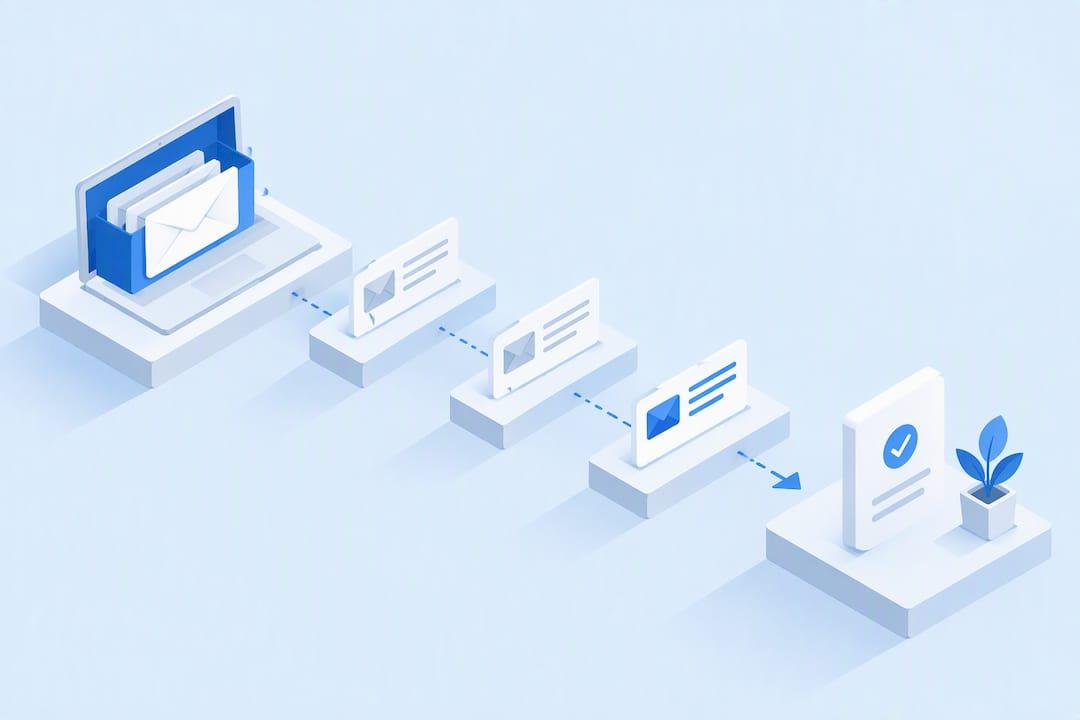
For most professionals, the right move is simple: use Gmail or Outlook's native scheduling for one-off reminders, but switch to a CRM-connected automation platform once you need multi-step sequences, reply detection, or team routing. The reason comes down to trust and control: platforms built for sequenced follow-ups suppress replies automatically, send from a real mailbox instead of a cold domain, and route hot leads to a human before the deal goes cold.
TL;DR:
- Native tools like Gmail and Outlook are sufficient for small-scale follow-ups but cannot handle multi-step sequences, reply detection, or team routing effectively.
- Building a successful follow-up sequence requires clear goals, proper mapping, testing, and suppression rules, with automation handling routine tasks and human review focusing on genuine interest.
- Proper timing based on triggers such as opens, clicks, or scheduled delays significantly improves reply rates, especially when stops occur immediately after a reply or bounce.
- Personalization should be specific and relevant; generic or overly scripted lines risk sounding robotic and reduce the perceived authenticity of automated emails.
- Using dedicated platforms like Coldleads can enhance deliverability, protect reputation by sending from personal mailboxes, and streamline automation with human-in-the-loop management.
Table of Contents
- When Should You Automate Emails With Native Tools vs. a CRM?
- How Do You Build a Follow-Up Sequence That Converts?
- What Triggers and Timing Actually Get Replies?
- How Do You Personalize Emails Without Sounding Robotic?
- What Deliverability and Consent Rules Should You Follow?
- How Does Human-in-the-Loop Follow-Up Actually Work?
- What Should You Set Up in the First Week?
- Why Automation Still Needs a Human Checking the Replies
- How Cold Leads Handles Follow-Ups Without the Manual Work
- Sources
- FAQ
When Should You Automate Emails With Native Tools vs. a CRM?
Gmail and Outlook cover the basics fine. Gmail lets you schedule up to 100 messages at a time and save reusable templates, though sending one automatically still requires building a filter. Outlook offers similar delay and schedule-send controls, plus rules that flag or move incoming mail. Neither tool, however, can branch a sequence based on whether someone opened, clicked, or replied. Gmail's mail merge also cannot send scheduled follow-ups or detect replies on its own, a real limitation once your list grows past a handful of contacts.
Ask yourself these questions before deciding:
- Are you sending a small number of follow-ups per week to people you already know? Native tools are enough.
- Do you need three or more timed touches with different messaging at each step? That calls for a sequence platform.
- Does more than one person need visibility into replies? Shared inboxes beat personal folders.
- Do you need to suppress contacts automatically after a reply or bounce? Manual tracking breaks down fast here.
How Do You Build a Follow-Up Sequence That Converts?
A good sequence starts with a decision, not a template. Define what "success" means, whether that's a reply, a booked call, or a paid invoice, then map the whole flow before writing a single email.
- Pick your goal and segment. A sequence chasing payment reminders needs different timing and tone than one nudging a cold prospect toward a demo.
- Map the steps. Set the number of follow-ups (three to five is typical), the delay between each, and the exact conditions that end the sequence early.
- Build suppression rules first, not last. Replies, bounces, and opt-outs need to pull a contact out immediately, and reply detection has to be live before you send anything.
- Test with seed addresses. Send the full sequence to a handful of accounts you control to confirm timing, suppression, and reply capture work as expected before a real batch goes out.
- Scale gradually. Move from a small test group to your full list only after the mechanics check out.
Pro Tip: Run your seed test with an address that replies mid-sequence on purpose. If the automation doesn't stop the remaining touches, you'll find out before a real prospect does.
What Triggers and Timing Actually Get Replies?
Timing decisions separate sequences that feel helpful from ones that feel like spam. The most reliable triggers are time delays, email opens, link clicks, calendar bookings, and CRM stage changes, since each signals something different about intent.
A cadence that works for most B2B outreach looks like this:
- Day 1: Initial email with a specific ask.
- Day 4: Short follow-up referencing the first message, not repeating it.
- Day 10: Final touch with a lower-friction CTA (a quick question instead of a meeting request).
Cold outreach sequences sometimes follow a loose 30/30/50 split: the first 30% of the message builds relevance, the next 30% states the value, and the final 50% narrows to one ask. It's a rough guide, not a rule, but it keeps early emails from front-loading the pitch.
Stop the sequence the moment any of these happen: a reply arrives, a meeting gets booked, the email bounces, someone unsubscribes, or the contact has gone cold past a set inactivity window (30 to 60 days is common).

How Do You Personalize Emails Without Sounding Robotic?
A follow-up template only works if it reads like it was written for one person. Structure each message with a short opener, one specific value point, a single clear call to action, and a P.S. line that adds social proof or a next step.
Personalize the fields that actually change the meaning of the email: company name, a recent action they took (downloaded a guide, visited a pricing page), or a shared connection. Skip personalization that tries too hard, like referencing someone's job title in a way that reads like it came from a scraped spreadsheet. Readers notice the difference between a template with smart tokens and one stuffed with filler.
- Use dynamic fields for company, first name, and recent behavior.
- Keep conditional content simple (if/then logic for two or three variants max).
- Separate operational fields, like consent status and suppression flags, from the message copy itself so a copy edit never touches your compliance data.
Pro Tip: If a personalized line could apply to literally anyone, cut it. Specificity is what makes automation feel human.
What Deliverability and Consent Rules Should You Follow?
Deliverability problems usually trace back to volume and consent, not the words in the email. Google's own guidance for subscription messages requires double consent before sending and processing unsubscribe requests within 48 hours, and it recommends keeping subscription traffic separate from transactional mail.
Beyond consent, a few habits protect your sender reputation:
- Verify addresses before sending to catch typos and dead inboxes before they become bounces.
- Ramp new sending volume slowly. Jumping from 50 to 500 emails a day overnight damages domain and IP reputation fast.
- Honor one-click unsubscribe requests immediately, especially on larger lists where spam complaints scale with volume.
- Send from a personal mailbox when trust matters more than volume, but track bounce and complaint rates as closely as you would a shared domain.
One detail worth remembering: Gmail's 48-hour unsubscribe window isn't a suggestion. Miss it repeatedly and inbox providers start filtering your mail before a human ever sees it.
How Does Human-in-the-Loop Follow-Up Actually Work?
Full automation sounds efficient until a hot lead gets a generic drip email instead of a real answer. The better pattern automates routine timing and drafting, then routes anything that looks like genuine interest, confusion, or a complaint straight to a person. That's the approach most human-in-the-loop email systems are built around, and it consistently produces better conversion than letting the machine handle every reply.
Making this work reliably means keeping operational data separate from message copy: consent status, owner, sequence stage, and suppression flags should live in their own fields, never buried inside a template.
- Automate the timing and first-draft generation of routine touches.
- Flag replies containing questions, objections, or buying signals for a human to answer within hours, not days.
- Send from a personal mailbox rather than a bulk domain to keep replies landing in one place and preserve sender trust.
- Keep a single owner assigned per contact so no lead sits in a queue with nobody responsible for it.
What Should You Set Up in the First Week?
Getting automated follow-ups running doesn't require a full rebuild of your sales process. Start narrow and prove the mechanics work before expanding.
- Build one sequence for a single, well-defined segment. Don't try to automate every use case at once.
- Turn on suppression and reply detection before the first send. This is not optional; skipping it is how contacts get double-messaged after replying.
- Connect your lead source. Link your website form or landing page directly to the sequence so new inquiries enter automatically.
- Set baseline metrics. Track open rate, reply rate, and time-to-first-response from day one so you have something to compare against later.
- Document who owns replies. Write down exactly who checks the inbox and how fast a positive reply should get a response.
Why Automation Still Needs a Human Checking the Replies
Automation is good at repetition. It is bad at judgment. A sequence can perfectly time three follow-ups and still misfire the moment a prospect replies with a real question that a template can't answer.
The pattern that actually works for small teams: let automation handle every routine touch, the reminder emails, the scheduling, the suppression logic, and reserve human attention for the moment someone shows real interest. Teams that route ambiguous or positive replies to a person tend to close more of them, simply because timing and tone matter most exactly when a prospect is paying attention. Automation earns its keep by clearing out the busywork so that human judgment gets applied where it counts.
— Anton
How Cold Leads Handles Follow-Ups Without the Manual Work
Coldleads is built around the exact workflow this article recommends: automate the routine timing and drafting, then let a person step in the moment a reply looks promising. The platform captures website inquiries directly into organized client records, drafts and manages the follow-up copy with AI, and keeps every reply in one organized thread instead of scattered across inboxes.

What sets it apart from building this yourself in Gmail filters is the ability to send from your own personal mailbox instead of a bulk sending domain, which protects your reputation while still feeling like a real message from you. Plans start at $19 a month for solo users on the Solo plan, scaling up to Team and Business tiers as your contact volume and campaign needs grow. If you're still tracking follow-ups in a spreadsheet, the fastest way to see the difference is to connect your first sequence and watch reply detection do the sorting for you.
Sources
- Delay or schedule sending email messages in Outlook
- A very simple human-in-the-loop email response system using AI and IMAP - n8n
FAQ
Is there a way to automate follow-up emails in Outlook?
Yes. Outlook's schedule-send feature delays individual messages, and inbox rules can flag or move incoming replies automatically. Neither feature builds a full multi-step sequence with reply detection, so teams sending more than a handful of follow-ups a week typically add a connected automation platform on top.
What is the 30/30/50 rule for cold emails?
It's a rough structure for cold outreach: spend the first 30% of the message building relevance, the next 30% stating the value, and the final 50% narrowing to a single clear ask. It's a guideline for pacing a message, not a strict formula, and it works best on shorter, direct emails.
Is it possible to set up an automated response for an email?
Yes, both Gmail and Outlook support automated responses through filters and rules, and dedicated platforms like Coldleads can generate and send AI-drafted replies or follow-ups automatically once a trigger like a reply or form submission fires. The setup ranges from a simple canned response to a full sequence with branching logic depending on the tool.
How do I automate follow-up emails in Gmail?
Save a reusable template in Gmail, then build a filter to trigger it automatically, since templates alone don't send on their own. For sequences longer than one or two touches, or when reply detection matters, a connected sequence platform handles the branching logic that Gmail's native filters can't.
What does Coldleads cost to automate follow-ups?
Coldleads offers a Solo plan at $19 per month, a Team plan at $49 per month, and a Business plan at $99 per month, each with annual pricing available at a discount. Extra credits for verification or AI usage beyond plan limits are priced separately and listed on the site.